The Upper Seat · How we collect consent to text you
The Upper Seat offers two separate SMS programs. Campaign consent covers promotions and shop announcements. Appointment consent covers reminders and updates about a booked visit. Each requires its own optional choice. Privacy Policy · SMS Terms.
This optional program is separate from appointment reminders. Campaign texts come from +1 516 540 7620. Appointment texts come from a different number and have separate consent. SMS campaign enrollment remains disabled until carrier approval and launch.
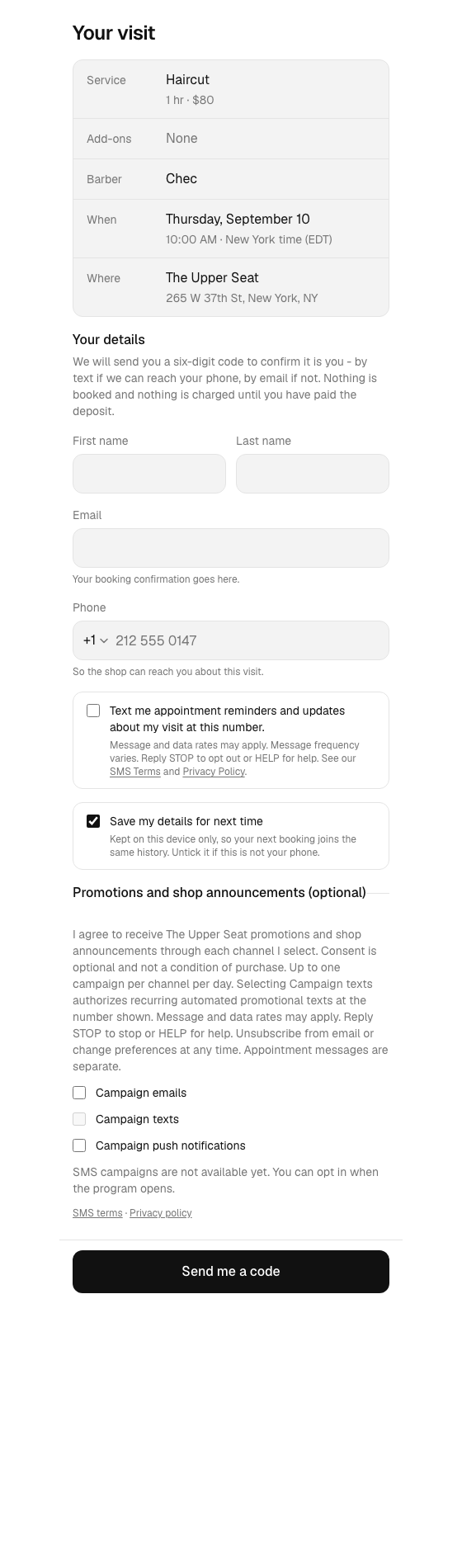
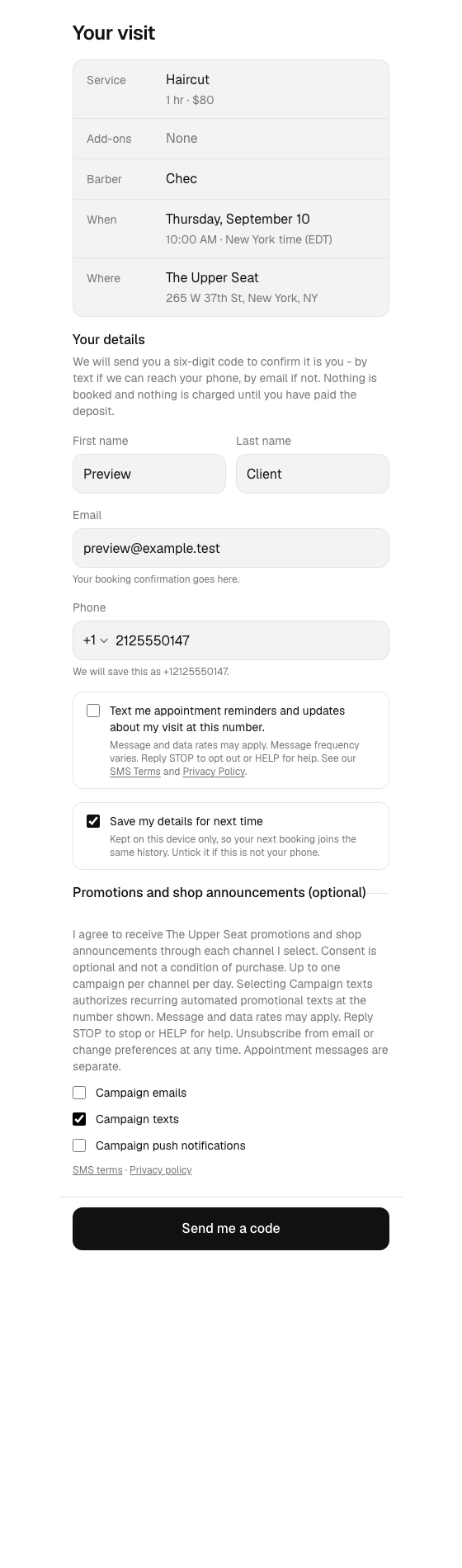
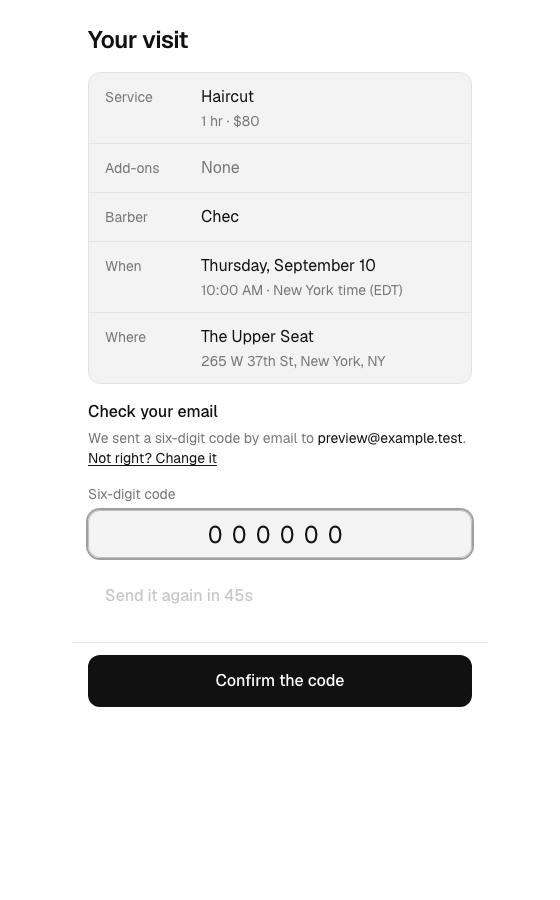
Booking: visit our booking website, choose a service, optional add-ons, a barber and a time, then continue to Your details. Enter your contact details and optionally select Campaign texts, which starts unchecked. Press Send me a code, enter the code delivered by SMS or email, then press Confirm the code. After verification, we submit the selected campaign permissions independently of booking and payment. Consent is not required to book or buy.
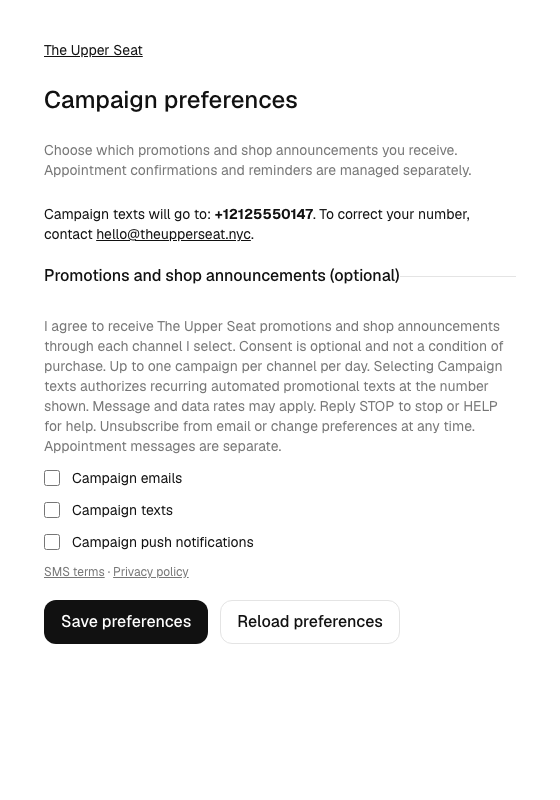
"I agree to receive The Upper Seat promotions and shop announcements through each channel I select. Consent is optional and not a condition of purchase. Up to one campaign per channel per day. Selecting Campaign texts authorizes recurring automated promotional texts at the number shown. Message and data rates may apply. Reply STOP to stop or HELP for help. Unsubscribe from email or change preferences at any time. Appointment messages are separate."
The form links to SMS Terms and Privacy Policy. SMS consent applies to the number entered. If it differs from the existing account number, campaign enrollment is refused; the client can review their account number in campaign preferences and opt in there. Booking can continue without campaign enrollment. Staff cannot provide this permission for a client.
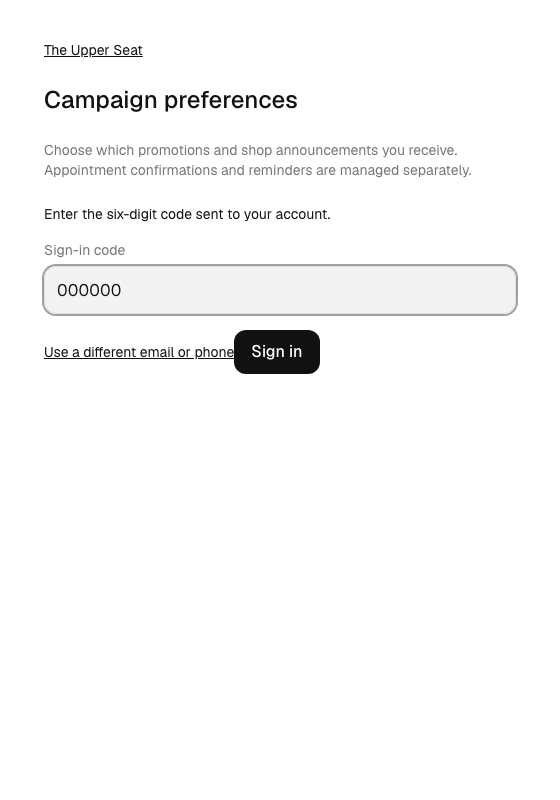
The following screenshots show the actual web components in a controlled pre-launch preview with fictional client details. They are not completed bookings or live enrollments. The disabled view shows the launch restriction; the enabled preview documents the intended consent journey after approval.
Open campaign preferences, enter your account email or phone and press Send sign-in code. Enter the code and press Sign in. Review the displayed account phone number, select Campaign texts and press Save preferences. Contact hello@theupperseat.nyc to correct an account number before opting in. The screen shows the same disclosure and policy links as booking. Clients without prior consent start unchecked; existing consent is displayed as saved.
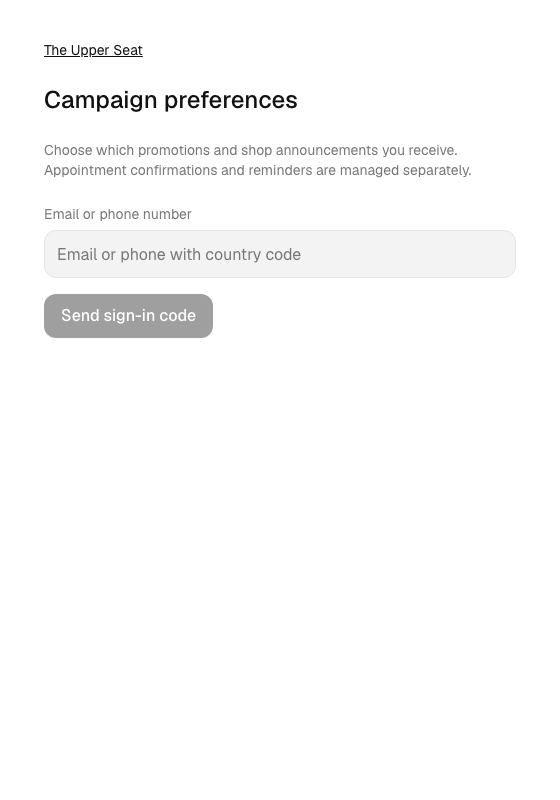
Only these two web journeys are offered at launch. The client app campaign preference screen is not yet released. There is no paper, verbal, purchased-list or SMS-keyword enrollment for this campaign.
We record the number, channel, disclosure, time and source of consent. We never sell, rent or share mobile numbers or messaging consent with third parties or affiliates for their marketing or promotional purposes.
After a successful opt-in, we immediately submit a welcome SMS from the campaign number. Promotional delivery remains paused if confirmation fails. Contact hello@theupperseat.nyc if it does not arrive.
"The Upper Seat: You are subscribed to promotions and shop announcements. Up to 1 campaign/day. Message and data rates may apply. Reply HELP for help or email hello@theupperseat.nyc. Reply STOP to unsubscribe."
Reply STOP to withdraw campaign consent, or disable Campaign texts in preferences. Reply HELP for support. START only removes the carrier block; it does not subscribe you. To re-enroll, select Campaign texts and save in preferences. Appointment texts from the separate appointment number are unchanged.
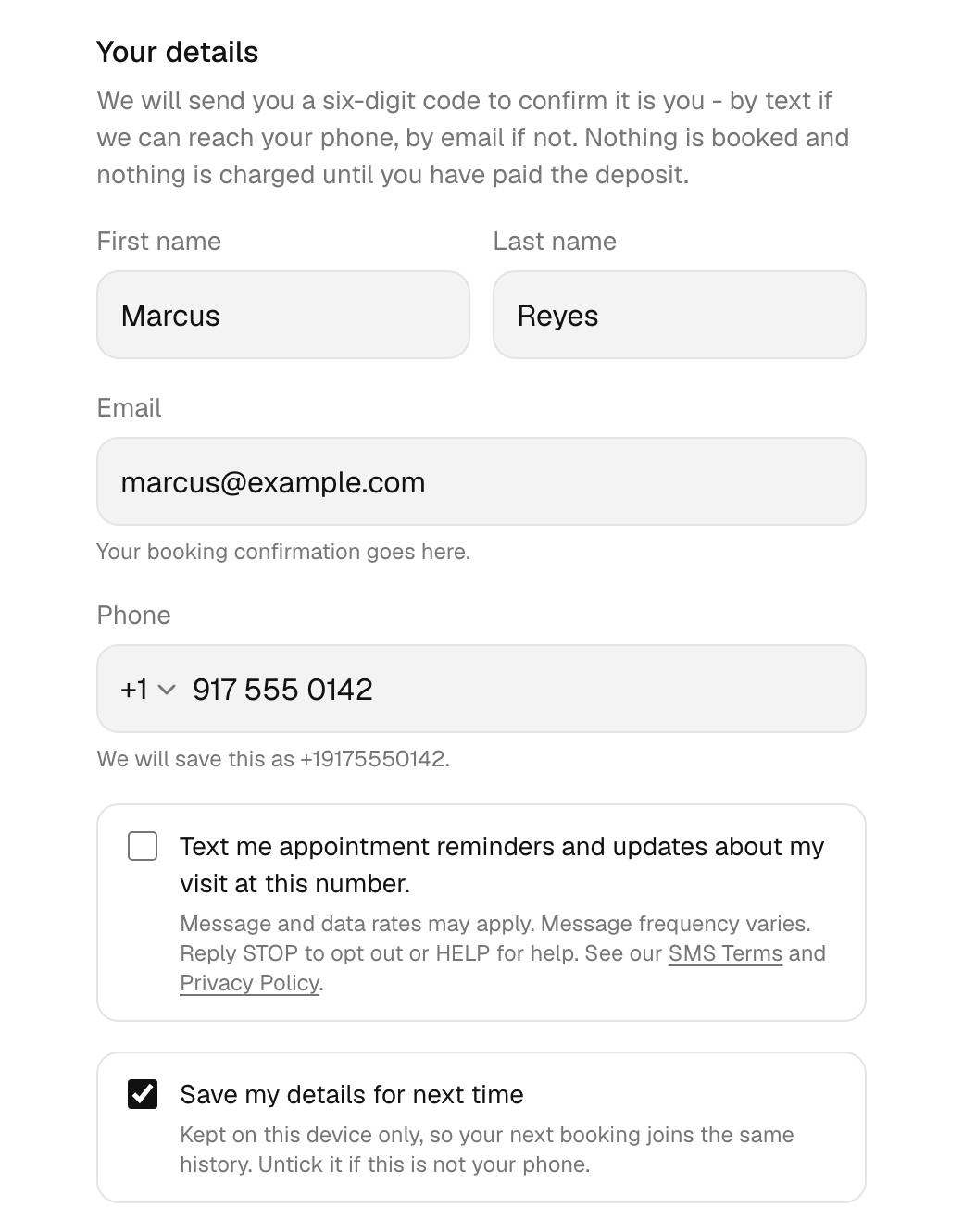
Consent is given on our web booking form, at the step where you enter your name and your mobile number. The form shows a checkbox next to that field.
"Text me appointment reminders and updates about my visit at this number. Message and data rates may apply. Message frequency varies. Reply STOP to opt out or HELP for help. See our SMS Terms and Privacy Policy."
In the form, SMS Terms links to /sms-terms and Privacy Policy links to /privacy.
This earlier screenshot documents the appointment consent checkbox. Campaign consent is a separate choice, described above. The consent checkbox is the one under the phone number, and it is empty because that is how the page loads.
Appointment reminders and updates about the visit you booked, and nothing else. No marketing or promotional texts are sent through this program. Message frequency varies, because messages are sent per appointment. Message and data rates may apply.
Consent applies to the single mobile number you entered on that booking form. Booking with a different number means ticking the box again for that number.
You can withdraw consent at any time by replying STOP to any message, or by turning text reminders off in the app. After STOP we send one confirmation message and then stop texting that number.
Appointment consent permits appointment messages only. Campaign messages require the separate consent described above. Account verification uses one-time codes. No mobile information is shared with third parties or affiliates for marketing or promotional purposes, and we never sell it. We share it only with the subcontractors that deliver the service, such as our message delivery provider and customer service.
The full messaging program disclosure is in our SMS Terms, and how we handle your data is in our Privacy Policy.
The Upper Seat LLC
2150 N Bayshore Drive, Miami, Florida 33137, United States
Email: hello@theupperseat.nyc